
A screen protector is one of the cheapest ways to keep your phone looking new, but a bad install ruins it within seconds: a speck of dust becomes a permanent bubble, and a crooked edge catches on your case. The difference between a perfect result and a frustrating one is almost entirely preparation.
This guide explains how to choose the right screen protector, how to create a dust-free workspace at home, the seven installation steps, and how to fix bubbles, dust and lifting edges afterwards.
Table of Contents
- Choose the Right Screen Protector First
- What You Need Before You Start
- Step 1: Create a Dust-Free Workspace
- Step 2: Wash Your Hands and Remove the Old Protector
- Step 3: Clean the Screen Thoroughly
- Step 4: Set Up Alignment
- Step 5: Peel the Backing and Place the Screen Protector
- Step 6: Press Out the Air
- Step 7: Let It Cure and Test the Phone
- How to Fix Bubbles, Dust and Lifted Edges
- Special Cases: Curved Screens, Foldables and Tablets
- Dry Install vs Wet Install
- Common Mistakes to Avoid
- When to Replace Your Screen Protector
- Frequently Asked Questions
Choose the Right Screen Protector First
Installation is much easier when the screen protector suits your phone. The main types behave very differently.
| Type | Feel and clarity | Protection | Best for |
|---|---|---|---|
| Tempered glass | Smooth, like the original glass | Good against scratches and drops | Most flat-screen phones |
| PET or TPU film | Slightly softer, thinner | Scratches only | Curved screens and budget options |
| Privacy glass | Darker from the side | Good, plus blocks side viewing | Commuters and office use |
| Matte or anti-glare | Reduces reflections, slightly grainy | Good | Outdoor use and gaming |
| Liquid-adhesive glass (UV glue) | Excellent fit on curved screens | Good | Heavily curved displays; harder to install |
Always buy a screen protector made for your exact model. A “Galaxy S25” protector will not fit a Galaxy S25+, and cutouts for cameras and sensors differ even between phones that look similar.
Case-friendly sizing
Many screen protectors are slightly smaller than the display so they do not collide with a case. If you use a thick protective case, look for the words “case-friendly” on the box. A protector that touches the case edge will slowly lift and collect dust.
What You Need Before You Start
Most screen protector kits include everything, but check the box before you begin.
- The screen protector itself
- An alcohol wipe or wet cleaning pad
- A microfiber dry cloth
- Dust removal stickers
- An alignment frame or guide stickers, if included
- A plastic card or squeegee for pressing out air
Extra items that help a lot: a roll of clear tape for lifting stubborn dust, and a bright light or phone flashlight to spot particles on the screen.
Step 1: Create a Dust-Free Workspace
Dust is the number one enemy of a clean screen protector install. Household air is full of particles, but you can reduce them easily.
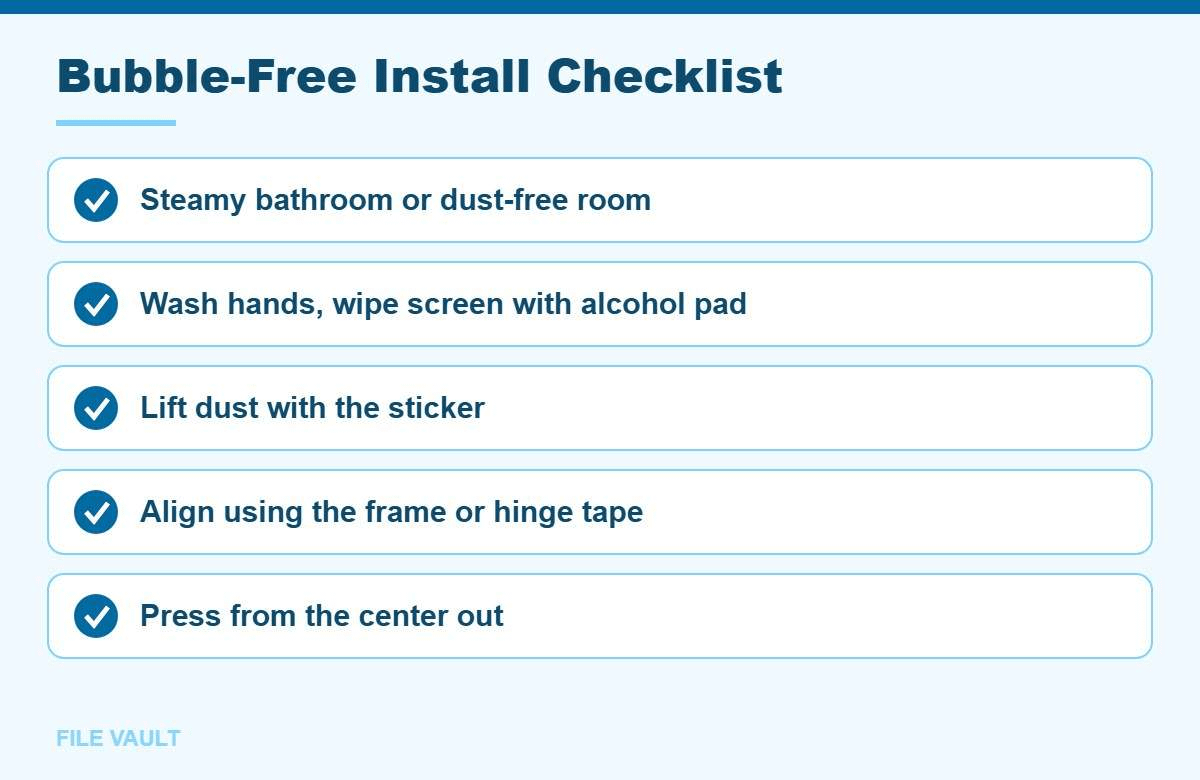
- Use the bathroom trick. Run a hot shower for a few minutes with the door closed. The steam pulls dust out of the air. Wait until the mirror stops fogging heavily before you start, so the screen does not get wet.
- Turn off fans and close windows to stop air moving dust around.
- Clear a flat, clean surface and lay down a clean cloth or the box lid.
- Remove your phone case and put it aside.
Step 2: Wash Your Hands and Remove the Old Protector
Oils from your fingers leave marks on the adhesive side of a screen protector. Wash and dry your hands with a lint-free towel.
If an old screen protector is on the phone, lift one corner with a fingernail or a thin plastic card and peel it slowly. For cracked glass, cover it with clear tape first so small pieces do not come loose. Never use metal tools, which can scratch the screen.
Step 3: Clean the Screen Thoroughly
- Wipe the whole display with the alcohol pad, including the edges and around the camera cutout.
- Dry it immediately with the microfiber cloth using straight strokes, not circles.
- Hold the phone under a bright light at an angle to look for dust.
- Use the dust removal stickers to lift every particle you find. Press lightly and peel away.
Do not touch the screen again after this step. If you need to hold the phone, hold it by the sides.
Step 4: Set Up Alignment
Good alignment is what makes a screen protector look factory-fitted. Choose the method your kit supports.
Using an alignment frame
- Place the phone into the frame so it sits snugly.
- Check that the camera and speaker cutouts line up with the frame guides.
Using the hinge method (no frame)
- Lay the screen protector on the phone with its backing still on, adhesive side down.
- Line it up carefully with the camera cutout and edges.
- Place two pieces of tape along one side, attaching the protector to the phone’s frame like a hinge.
- Flip the protector open on its hinge so you can remove the backing without losing alignment.
Step 5: Peel the Backing and Place the Screen Protector
- Peel the backing film labelled “1” from the adhesive side. Hold the protector by the edges only.
- If you see dust on the adhesive, touch it gently with a dust sticker. Do not wipe the adhesive.
- Lower the screen protector into the frame, or close the hinge, starting from one end.
- Let go and watch the adhesive spread across the screen on its own. Most glass protectors settle within a few seconds.
Step 6: Press Out the Air
- Start in the center and press outward toward the edges with your finger or the included card.
- Wrap the card in the microfiber cloth to avoid scratching film protectors.
- Work any remaining air bubbles to the nearest edge.
- Peel off the top protective film, usually labelled “2”, if there is one.
Step 7: Let It Cure and Test the Phone
Give the adhesive time to bond before putting the case back on. An hour is good; overnight is better for film protectors.
While it cures, avoid pressing hard on the screen or leaving the phone in a hot car. Heat softens fresh adhesive, and pressure on a corner can create a small air pocket that is harder to remove later. If you notice a faint rainbow pattern near an edge during the first hour, press that area gently with the cloth for half a minute.
- Test touch sensitivity in every corner of the screen.
- Re-register your fingerprint if your phone uses an in-display sensor. Samsung and other brands recommend this after installing a screen protector.
- Check the front camera and proximity sensor by making a quick call and taking a selfie.
- Enable touch sensitivity mode if your phone has one, often labelled “Screen protector mode”, for glass that feels less responsive.
How to Fix Bubbles, Dust and Lifted Edges
Even careful installs sometimes need a little rescue. Most problems with a screen protector can be fixed in minutes.
| Problem | Cause | Fix |
|---|---|---|
| Air bubble with no dust | Trapped air | Push it to the edge with a card wrapped in a cloth. |
| Bubble with a speck in the middle | Dust under the protector | Lift the nearest corner with tape, touch the dust with a sticker or tape, lower it again. |
| Hazy spots on film | Moisture from wet-install film | Wait 24 to 48 hours; they usually disappear. |
| Edges lifting | Case pressure or curved edge | Use a case-friendly protector, or a film or UV-glue option for curved screens. |
| Rainbow halo near the edges | Edge not bonded | Press firmly along the edge for 30 seconds; replace if it keeps lifting. |
| Fingerprint sensor stopped working | Thick or incompatible glass | Re-register fingerprints; switch to a protector certified for in-screen sensors. |
The tape trick for dust
Fold a piece of clear tape into a loop with the sticky side out. Lift a corner of the screen protector just enough to reach the dust, dab the particle with the tape, and lower the protector slowly. Be careful not to bend glass protectors too far, as they can crack.
Shopping for a Replacement?
If your current screen protector is cracked or lifting, choose one made for your exact phone model, ideally with an alignment frame. Many brands include a replacement warranty for cracked protectors.
Special Cases: Curved Screens, Foldables and Tablets
- Curved-edge phones: standard glass often lifts at the curve. Film, “case-friendly” glass that stops before the curve, or UV liquid-adhesive glass fit better.
- Foldable phones: the inner screen usually ships with a factory-installed protective layer that is part of the display. Do not remove it; follow the manufacturer’s guidance for replacements.
- Tablets: the larger area makes dust more likely. The bathroom steam trick and the hinge method are especially helpful.
- Camera lens protectors: these follow the same cleaning steps. Make sure they do not cause flare in photos taken at night.
Dry Install vs Wet Install
Most tempered glass kits use a dry install, where the adhesive layer grabs the screen on contact. Some film protectors, especially full-coverage films for curved phones and smartwatches, use a wet install with a spray solution. The steps differ in a few important ways.
| Dry install | Wet install | |
|---|---|---|
| Common with | Tempered glass, basic film | Full-coverage TPU film |
| Repositioning | Almost none once it touches | Easy while still wet |
| Dust tolerance | Low; dust is visible right away | Solution washes away small particles |
| Cure time | Minutes to an hour | 12 to 24 hours |
| Risk | Misalignment | Liquid near ports and speakers |
For a wet install, spray both your fingertips and the adhesive side lightly, slide the film into position, then squeegee the liquid out toward the edges. Cover the charging port and speaker grilles with tape first, and do not use the phone heavily until the film has fully dried.
Common Mistakes to Avoid
- Installing in a hurry. Rushing preparation is the main reason for dust bubbles. Set aside fifteen quiet minutes.
- Wiping with a T-shirt. Clothing leaves lint behind. Use only the microfiber cloth from the kit.
- Touching the adhesive side. Fingerprints on the adhesive never fully disappear.
- Peeling the backing too early. Line everything up first, then remove the backing at the last moment.
- Pressing on dust. Pressing a trapped particle can leave a permanent mark in the adhesive. Lift it out instead.
- Putting the case on immediately. Case edges can push up a protector before the adhesive settles.
When to Replace Your Screen Protector
A screen protector is designed to take damage instead of your screen. Replace it when you notice any of the following.
- Cracks or chips, even small ones at the edge, which spread over time.
- Edges that lift repeatedly and collect dust.
- Scratches that affect visibility or touch response.
- A cloudy or yellowed look on older film protectors.
Keep your phone clean afterwards too. Apple recommends using a soft, lint-free cloth and avoiding abrasive cleaners on its devices; see Apple’s guide on how to clean your Apple products. The same gentle approach works for any glass screen protector.
If you are setting up a new phone at the same time, our guide on how to carrier unlock your Android phone helps you choose a cheaper plan, and the Osmo Mobile 6 setup guide is useful if you film with your phone.
Bonus PDF: Bubble-Free Screen Protector Checklist
Print it, tick each box, and get a clean install on the first try. To download it, try one free sponsored app from the list you will see (usually a couple of minutes). Everything in this guide stays free without it.
Frequently Asked Questions
Tempered glass or plastic film: which screen protector is better?
Tempered glass feels like the original screen and protects better against drops and scratches. Film is thinner, cheaper and fits curved screens more easily, but offers less impact protection.
Will small bubbles go away on their own?
Tiny moisture bubbles on film protectors often fade within 24 to 48 hours. Air bubbles caused by dust under the protector will not disappear and need the dust lifted out.
Does a screen protector affect Face ID or the fingerprint sensor?
A protector made for your exact model should not. Cheap glass can block the camera notch or interfere with in-screen fingerprint sensors, so re-register your fingerprint after installing.
Can I reuse a screen protector after removing it?
Generally no. Removing glass or film weakens the adhesive and collects dust. It is usually quicker and better to install a new one.
Do new phones already come with a screen protector?
Some phones ship with a factory film applied, which is thin and mainly prevents minor scratches. You can remove it or install a stronger screen protector over a clean screen instead.
A bubble-free screen protector comes down to a dust-free room, a spotless screen and careful alignment. Take your time on preparation, press from the center outward, and fix any trapped dust straight away with a sticker or tape. Done right, the protector is almost invisible and keeps your screen safe for months.