
The T-Mobile free trial lets you use T-Mobile’s network for 30 days on the phone you already own, without cancelling your current carrier or changing your number. It is the easiest way to find out whether T-Mobile coverage is actually good where you live, work and travel before you commit to a plan.
This guide explains what the trial includes in 2026, who qualifies, how to set it up in five steps, and how to test the network so the 30 days give you a clear answer.
Table of Contents
- What Is the T-Mobile Free Trial?
- What the T-Mobile Free Trial Includes
- Who Can Get the T-Mobile Free Trial?
- How to Start the T-Mobile Free Trial in 5 Steps
- How to Test the Network Properly
- Tips to Get the Most From Your 30 Days
- What Happens When the T-Mobile Free Trial Ends?
- Is the "3 Months Free" Offer Still Available?
- T-Mobile Free Trial vs Other Ways to Test a Carrier
- Common T-Mobile Free Trial Problems and Fixes
- Frequently Asked Questions
What Is the T-Mobile Free Trial?
The program started life as T-Mobile Network Pass. In July 2025 T-Mobile renamed it T-Mobile Trial and shortened it from 90 days to 30 days, while adding extra perks. That is why you may still see older articles promising three months free. The current T-Mobile free trial runs for 30 days.
It works by adding a second line to your phone as an eSIM. Your main SIM stays with your current carrier for calls and texts to your usual number, while the trial line gives you access to T-Mobile’s network. You can switch which line handles mobile data at any time, which makes side-by-side comparisons simple.
What the T-Mobile Free Trial Includes
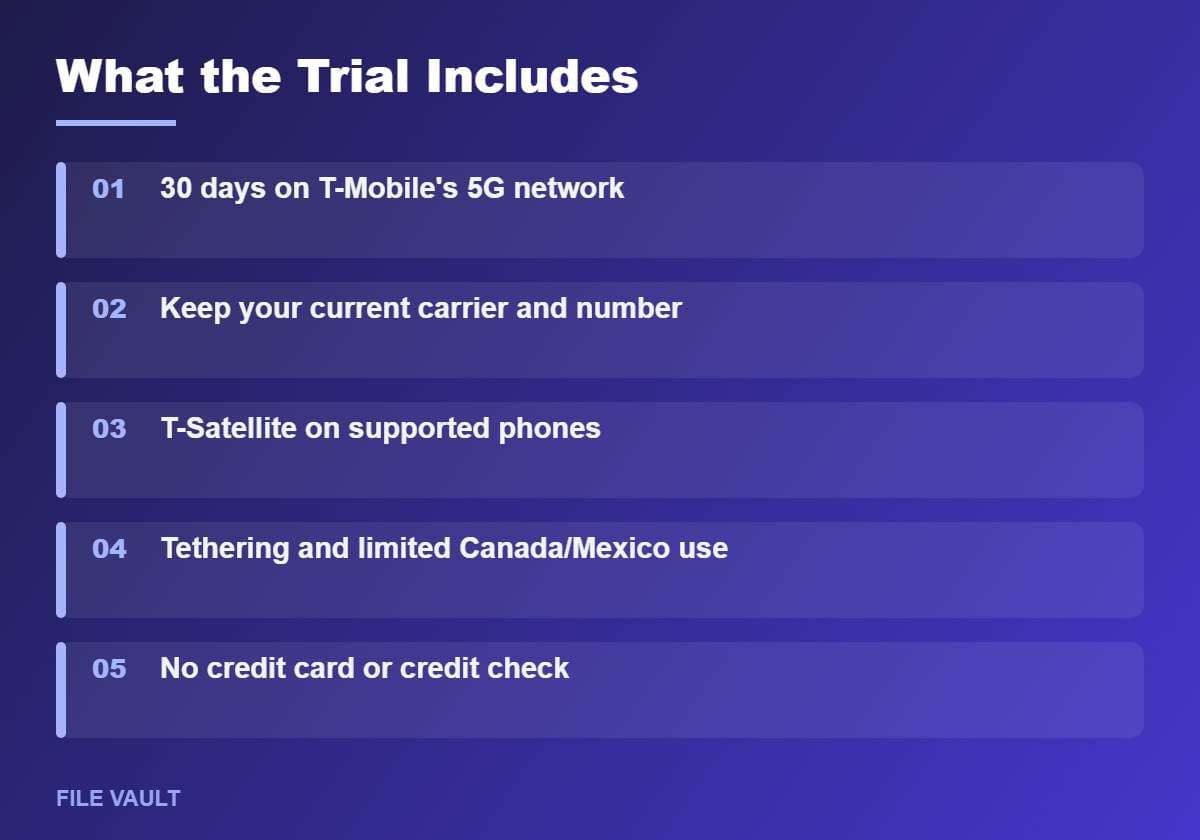
According to T-Mobile’s published details for the renamed program, the trial gives you a taste of a regular T-Mobile plan rather than a stripped-down test line.
- 30 days of access to T-Mobile’s 5G and LTE network.
- High-speed data for everyday use. Heavy users may see slower speeds during network congestion after a usage threshold.
- T-Satellite texting on supported phones in areas without cell coverage.
- Hotspot tethering so you can test laptop and tablet use.
- Limited use in Canada and Mexico, which is useful if you travel there.
- In-flight Wi-Fi on a limited number of flights with select airlines.
Exact limits can change, so check the official T-Mobile Trial support page before you start. The core idea stays the same: it is a real, full-featured way to test the network for free.
Who Can Get the T-Mobile Free Trial?
Most people with a recent smartphone qualify, but there are a few requirements you need to meet before the T-Mobile free trial will activate.
- An unlocked phone. The phone must accept a line from another carrier. Phones still financed and locked to Verizon or AT&T will not work.
- eSIM support. The trial is delivered as an eSIM, so your phone needs eSIM capability. Most iPhones from the XS onward and most recent Samsung Galaxy, Google Pixel and Motorola flagships support it.
- The T-Life app. You start the trial from T-Mobile’s T-Life app on the App Store or Google Play.
- One trial per user. T-Mobile only allows one T-Mobile free trial per person.
- US use. The trial is designed for testing the network inside the United States.
Is your phone unlocked?
If you are not sure, check before you start. Phones bought directly from Apple, Samsung or Google as unlocked are fine. If your phone came from a carrier on a payment plan, it may still be locked. Our guide on how to carrier unlock your Android phone explains how to check and how to request an unlock under the 2026 carrier rules.
How to Start the T-Mobile Free Trial in 5 Steps
Setting up the T-Mobile free trial takes around five minutes once your phone meets the requirements. Connect to Wi-Fi before you begin so the eSIM downloads quickly.
- Confirm the phone is unlocked. If you have a spare SIM from another carrier, insert it and make sure it connects. Otherwise, check with your carrier.
- Check eSIM support. On Android, look under Settings for SIM manager or SIMs and see whether there is an option to add an eSIM. On iPhone, go to Settings, then Cellular, and look for Add eSIM.
- Install the T-Life app. Download it from the App Store or Google Play and open it. You do not need to be a T-Mobile customer.
- Tap “Try T-Mobile”. Follow the prompts to create your trial and install the eSIM. Your phone will ask you to label the new line; naming it “T-Mobile Trial” keeps things clear.
- Choose your data line. Set the trial line as your mobile data line when you want to test T-Mobile. Keep your main line as the default for calls and texts.
Once the eSIM is active you should see T-Mobile in your status bar or SIM settings. Restart the phone if the signal does not appear within a few minutes.
How to Test the Network Properly
The mistake most people make is starting the T-Mobile free trial and then barely using it. Thirty days goes quickly, so plan your tests from the first day. The goal is to compare T-Mobile with your current carrier in the places that matter to you.
- Test at home, indoors. Walk through every room, including the basement or rooms far from windows. Indoor coverage is where networks differ most.
- Test at work or school at busy times. Speeds at 9 a.m. or lunchtime tell you more than a quiet evening test.
- Test your commute. Stream music or keep a video call running and note where it drops.
- Run speed tests on both lines. Switch the data line and run the same speed test app back to back in the same spot.
- Try the hotspot. If you work from a laptop, connect it and join a video meeting.
- Visit your weekend places. Parks, family homes, stadiums and holiday spots all count.
Keep a simple note on your phone with the location, both carriers’ speeds, and whether calls or video stuttered. After two weeks you will have a clear picture instead of a gut feeling.
Tips to Get the Most From Your 30 Days
A few small settings make a big difference to how useful your results are. These tips help you avoid the most common reasons people end the trial without a clear answer.
- Turn off Wi-Fi when you test. Your phone prefers Wi-Fi whenever it is available, so a speed test at home can quietly run over your router instead of the cell network.
- Disable Wi-Fi calling on the trial line. Otherwise indoor calls may route over Wi-Fi and hide weak cellular coverage.
- Watch your battery. Running two lines uses a little more power. If battery life matters to you, compare a normal day with the trial active and one without it.
- Use the same speed test app every time. Different apps use different servers, which makes comparisons unreliable.
- Test at different times of day. Evening congestion in busy neighborhoods can be very different from mid-morning results.
- Set a reminder for day 25. That gives you time to decide and, if you want to switch, to prepare your number transfer before the T-Mobile free trial ends.
Using the trial on a road trip
If you have a trip planned inside the US during your 30 days, take advantage of it. Rural highways, national parks and small towns are where carrier coverage varies the most. Keep the trial line as your data line while you drive and note any dead zones. On supported phones, T-Satellite can also let you send texts in areas with no cell towers at all, which is worth testing if you often travel off the beaten path.
Family members can run their own trials on their own phones at the same time. Because each person is limited to one T-Mobile free trial, coordinating your tests means the whole household gets a clear answer within the same month.
Compare the real cost, not just the coverage
Coverage is only half of the decision. Before the trial ends, write down what you pay your current carrier each month, including taxes, fees and device payments. Then compare that with T-Mobile’s postpaid plans and with prepaid brands that use T-Mobile’s network. Some families save enough by switching that a slightly weaker signal in one location is an acceptable trade-off, while others find the savings are too small to justify the change.
What Happens When the T-Mobile Free Trial Ends?
After 30 days the trial line stops working automatically. You are not charged, and nothing on your phone is deleted. Your regular carrier keeps working exactly as before, because it was never interrupted.
- If you liked it: sign up for a T-Mobile plan in the T-Life app or at a store and port your number over. Do not cancel your old carrier first, or you may lose the number.
- If you did not: simply let the T-Mobile free trial expire. Remove the eSIM profile from your SIM settings to tidy things up.
- If you are undecided: compare prices from prepaid brands that run on the same network, which are often cheaper than postpaid plans.
Ready to Try T-Mobile on Your Own Phone?
The T-Mobile free trial takes about five minutes to set up and ends on its own after 30 days. Start it from the official page so you get the current terms and the latest version of the offer.
Is the “3 Months Free” Offer Still Available?
Searches for “T-Mobile 3 months free” are still common because the original Network Pass ran for 90 days. That version was replaced in July 2025. As of 2026, the official T-Mobile free trial is 30 days.
Occasionally, T-Mobile runs separate promotions tied to switching, such as bill credits or free lines, which some sites describe as “months free”. Those are sign-up deals rather than a no-commitment trial, and they usually require a new line and a qualifying plan. Always read the terms on T-Mobile’s own site before relying on a third-party description.
T-Mobile Free Trial vs Other Ways to Test a Carrier
A trial is not the only way to judge coverage, but it is usually the most accurate one because it uses your own phone in your own locations.
| Method | Cost | Accuracy | Best for |
|---|---|---|---|
| T-Mobile free trial (eSIM) | Free | High: your phone, your places | Anyone with an unlocked eSIM phone |
| One month of prepaid service | About $15 to $30 | High | Locked phones or no eSIM support |
| Official coverage maps | Free | Medium: often optimistic indoors | A quick first check |
| Crowdsourced speed data | Free | Medium | Comparing carriers in your city |
A good approach is to check the T-Mobile coverage map first. If your area looks strong, use the T-Mobile free trial to confirm it in real life.
Common T-Mobile Free Trial Problems and Fixes
- The “Try T-Mobile” option does not appear. Update the T-Life app, sign out and back in, and make sure you are not already a T-Mobile customer on that device.
- The eSIM will not activate. This almost always means the phone is carrier-locked or does not support eSIM. Check your lock status first.
- You have signal but no data. Switch the mobile data line to the trial line in your SIM settings, and turn mobile data on for that line.
- Calls come in on the wrong line. Set your original line as the default for calls and messages, and keep the trial line for data only.
- You already used a trial before. The offer is limited to one per user, so a second attempt will be declined.
Bonus PDF: 30-Day Network Test Log
Compare T-Mobile with your current carrier during the free trial. To download it, try one free sponsored app from the list you will see (usually a couple of minutes). Everything in this guide stays free without it.
Frequently Asked Questions
Is the T-Mobile free trial really free?
Yes. You do not need a credit card or a credit check, and the trial ends automatically when the 30 days are up. You only pay if you decide to sign up for a T-Mobile plan afterwards.
Can I keep my phone number during the trial?
Yes. The trial runs on a second eSIM line, so your existing carrier and phone number stay active. Calls to your normal number keep working as usual.
Does the T-Mobile free trial work on iPhone?
It works on unlocked iPhones that support eSIM, which includes iPhone XS and newer models. You still need the T-Life app to start the trial.
Can I do the T-Mobile free trial more than once?
No. T-Mobile limits the trial to one per user, so plan your testing before you activate it and try to use the full 30 days.
What happens to my data after the trial ends?
Nothing on your phone is deleted. The trial eSIM simply stops working, and your phone continues on your regular carrier. You can remove the unused eSIM profile from your settings.
The T-Mobile free trial is the lowest-risk way to see if T-Mobile is right for you: no credit card, no contract, and your current service keeps running in the background. Make sure your phone is unlocked and supports eSIM, start the trial from the T-Life app, and use the 30 days to test the places you actually spend time.